
How to Record System Audio on Mac — Complete Guide
Learn how to record system audio on macOS using Yfli Screen Recorder with BlackHole. Step-by-step guide to capture app sounds, streaming audio, and more.
Mac screen recording tools capture microphone audio by default, but recording system audio — like app sounds, YouTube videos, or game audio — requires an extra step. This guide walks you through the setup.
Why System Audio Isn't Captured by Default
macOS doesn’t natively route internal audio to screen recording apps. This is a security and privacy design decision by Apple. To capture system sound, you need a virtual audio driver that loops the system output back as a virtual input device.
Step 1: Install BlackHole
BlackHole is a free, open-source virtual audio driver for macOS. No hidden costs, no trials — completely free. 【Download BlackHole →】
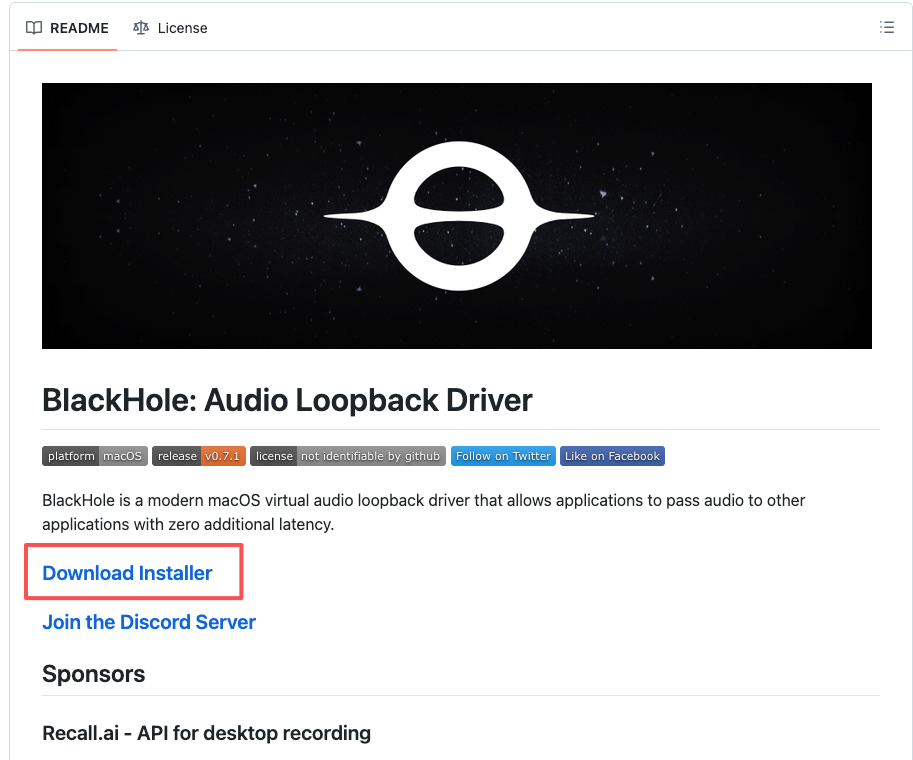
- Download the latest version from the BlackHole GitHub releases page
- Run the installer
.pkgfile - Follow the installation wizard — you may need to allow the extension in System Preferences > Security & Privacy
- Restart your Mac after installation
Step 2: Select BlackHole in Yfli Screen Recorder
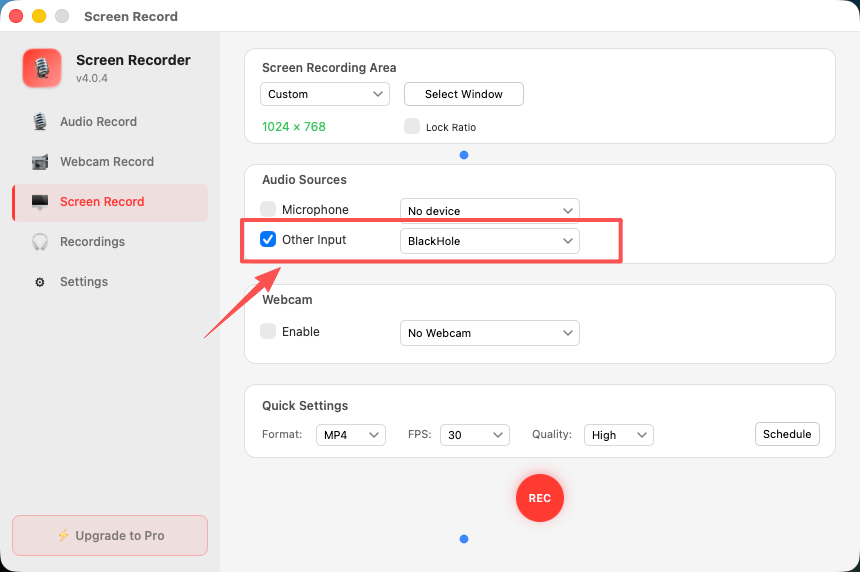
- Open Yfli Screen Recorder
- In the audio settings, navigate to Other Input
- You’ll see BlackHole appear in the device list
- Select BlackHole to start capturing system audio
Step 3: Record with System Audio
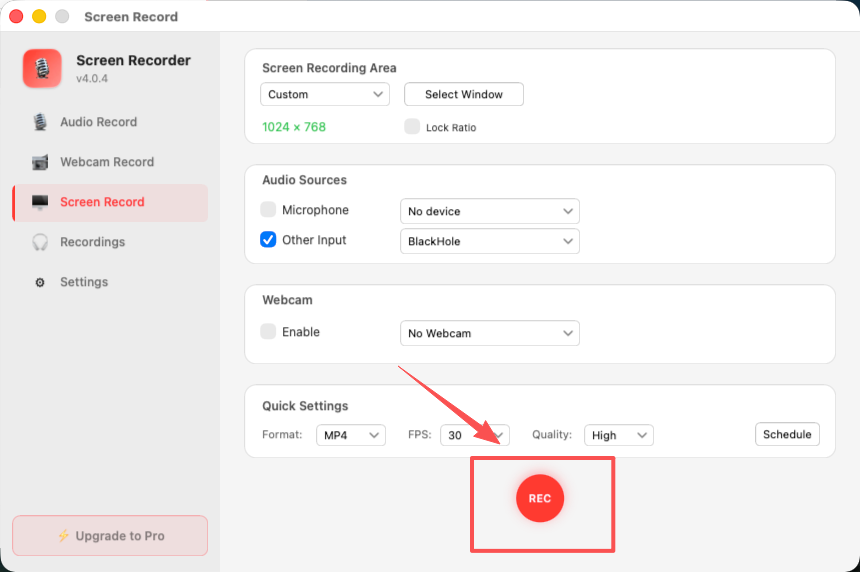
Once BlackHole is selected, Yfli Screen Recorder will capture all system output — including app sounds, browser audio, music, and notification sounds — directly into your recording.
Tips for Best Results
- Use headphones when recording with BlackHole to avoid audio feedback
- Adjust the output volume in System Preferences to control recording levels
- For tutorials and presentations, combine BlackHole (system audio) with your microphone for voice narration
Ready to Try Yfli Screen Recorder?
Free download on the Mac App Store. No account required, no ads, no watermark.
Yfli
Creator of Yfli Screen Recorder. Passionate about building great macOS tools that are simple, powerful, and beautiful. Writing about screen recording, macOS tips, and software development.